Is your chip supported?
Search 558 chipsets Device Info recognizes, by marketing name or by the model code your phone reports.
No match for “”
Tell us on TelegramAll supported chipsets
Grouped by vendor. Looking for a phone instead? Search 3,851 supported devices →
 MediaTek266
- MediaTek Dimensity 1000+7 nm
- MediaTek Dimensity 1000C7 nm
- MediaTek Dimensity 1000L7 nm
- MediaTek Dimensity 10506 nm
- MediaTek Dimensity 10806 nm
- MediaTek Dimensity 11006 nm
- MediaTek Dimensity 12006 nm
- MediaTek Dimensity 1200 Max6 nm
- MediaTek Dimensity 13006 nm
- MediaTek Dimensity 60207 nm
- MediaTek Dimensity 60806 nm
- MediaTek Dimensity 6100+6 nm
- MediaTek Dimensity 63006 nm
- MediaTek Dimensity 6360 Apex6 nm
- MediaTek Dimensity 6360 Max6 nm
- MediaTek Dimensity 64006 nm
- MediaTek Dimensity 6400 Max6 nm
- MediaTek Dimensity 6400 Turbo6 nm
- MediaTek Dimensity 6500 Elite6 nm
- MediaTek Dimensity 7007 nm
- MediaTek Dimensity 700 5G7 nm
- MediaTek Dimensity 70206 nm
- MediaTek Dimensity 70256 nm
- MediaTek Dimensity 7025 Ultra6 nm
- MediaTek Dimensity 70306 nm
- MediaTek Dimensity 70506 nm
- MediaTek Dimensity 70606 nm
- MediaTek Dimensity 71006 nm
- MediaTek Dimensity 7100 Elite6 nm
- MediaTek Dimensity 7207 nm
- MediaTek Dimensity 72004 nm
- MediaTek Dimensity 7200 Pro4 nm
- MediaTek Dimensity 7200 Ultra4 nm
- MediaTek Dimensity 73004 nm
- MediaTek Dimensity 7300 Energy4 nm
- MediaTek Dimensity 7300 Max4 nm
- MediaTek Dimensity 7300 Pro4 nm
- MediaTek Dimensity 7300 Ultimate4 nm
- MediaTek Dimensity 7300 Ultra4 nm
- MediaTek Dimensity 7300+4 nm
- MediaTek Dimensity 7300e6 nm
- MediaTek Dimensity 7300X4 nm
- MediaTek Dimensity 7350 Pro4 nm
- MediaTek Dimensity 7360 Super4 nm
- MediaTek Dimensity 7360 Turbo4 nm
- MediaTek Dimensity 74004 nm
- MediaTek Dimensity 7400 Apex4 nm
- MediaTek Dimensity 7400 Super4 nm
- MediaTek Dimensity 7400 Turbo4 nm
- MediaTek Dimensity 7400 Ultimate4 nm
- MediaTek Dimensity 7400 Ultra4 nm
- MediaTek Dimensity 7400X4 nm
- MediaTek Dimensity 7450X4 nm
- MediaTek Dimensity 75004 nm
- MediaTek Dimensity 8007 nm
- MediaTek Dimensity 8000 Max5 nm
- MediaTek Dimensity 800U7 nm
- MediaTek Dimensity 80206 nm
- MediaTek Dimensity 80506 nm
- MediaTek Dimensity 8106 nm
- MediaTek Dimensity 81005 nm
- MediaTek Dimensity 8100 Max5 nm
- MediaTek Dimensity 8100 Ultra5 nm
- MediaTek Dimensity 8207 nm
- MediaTek Dimensity 82004 nm
- MediaTek Dimensity 8200 Ultimate4 nm
- MediaTek Dimensity 8200 Ultra4 nm
- MediaTek Dimensity 83004 nm
- MediaTek Dimensity 8300 Ultra4 nm
- MediaTek Dimensity 83504 nm
- MediaTek Dimensity 8350 Apex4 nm
- MediaTek Dimensity 8350 Extreme4 nm
- MediaTek Dimensity 8350 Ultimate4 nm
- MediaTek Dimensity 8350 Ultra4 nm
- MediaTek Dimensity 84004 nm
- MediaTek Dimensity 8400 Max4 nm
- MediaTek Dimensity 8400 Ultimate4 nm
- MediaTek Dimensity 8400 Ultra4 nm
- MediaTek Dimensity 84504 nm
- MediaTek Dimensity 85004 nm
- MediaTek Dimensity 8500 Elite4 nm
- MediaTek Dimensity 8500 Extreme4 nm
- MediaTek Dimensity 8500 Super4 nm
- MediaTek Dimensity 8500 Ultra4 nm
- MediaTek Dimensity 8550 Elite4 nm
- MediaTek Dimensity 8550 Super4 nm
- MediaTek Dimensity 9006 nm
- MediaTek Dimensity 90004 nm
- MediaTek Dimensity 9000+4 nm
- MediaTek Dimensity 9206 nm
- MediaTek Dimensity 920 5G6 nm
- MediaTek Dimensity 92004 nm
- MediaTek Dimensity 9200+4 nm
- MediaTek Dimensity 9306 nm
- MediaTek Dimensity 93004 nm
- MediaTek Dimensity 9300+4 nm
- MediaTek Dimensity 94003 nm
- MediaTek Dimensity 9400+3 nm
- MediaTek Dimensity 9400e4 nm
- MediaTek Dimensity 95003 nm
- MediaTek Dimensity 9500 Monster3 nm
- MediaTek Dimensity 9500M3 nm
- MediaTek Dimensity 9500s3 nm
- MediaTek Dimensity 9600 Pro2 nm
- MediaTek Dimensity 9600M3 nm
- MediaTek Helio A2012 nm
- MediaTek Helio A2212 nm
- MediaTek Helio A2512 nm
- MediaTek Helio G1006 nm
- MediaTek Helio G100 Ultimate6 nm
- MediaTek Helio G100 Ultra6 nm
- MediaTek Helio G2006 nm
- MediaTek Helio G200 Ultimate6 nm
- MediaTek Helio G200 Ultra6 nm
- MediaTek Helio G2512 nm
- MediaTek Helio G3512 nm
- MediaTek Helio G3612 nm
- MediaTek Helio G3712 nm
- MediaTek Helio G5012 nm
- MediaTek Helio G7012 nm
- MediaTek Helio G8012 nm
- MediaTek Helio G80T11 nm
- MediaTek Helio G8112 nm
- MediaTek Helio G81 Extreme12 nm
- MediaTek Helio G81 Ultimate12 nm
- MediaTek Helio G81 Ultra12 nm
- MediaTek Helio G8512 nm
- MediaTek Helio G8812 nm
- MediaTek Helio G9012 nm
- MediaTek Helio G90T12 nm
- MediaTek Helio G9112 nm
- MediaTek Helio G91 Ultra12 nm
- MediaTek Helio G9212 nm
- MediaTek Helio G92 Max12 nm
- MediaTek Helio G9512 nm
- MediaTek Helio G9612 nm
- MediaTek Helio G996 nm
- MediaTek Helio G99 Ultimate6 nm
- MediaTek Helio G99 Ultra6 nm
- MediaTek Helio G99+6 nm
- MediaTek Helio P1028 nm
- MediaTek Helio P2016 nm
- MediaTek Helio P2212 nm
- MediaTek Helio P22T12 nm
- MediaTek Helio P2316 nm
- MediaTek Helio P2516 nm
- MediaTek Helio P25T16 nm
- MediaTek Helio P3512 nm
- MediaTek Helio P6012 nm
- MediaTek Helio P6512 nm
- MediaTek Helio P7012 nm
- MediaTek Helio P70M12 nm
- MediaTek Helio P9012 nm
- MediaTek Helio P90\r12 nm
- MediaTek Helio P9512 nm
- MediaTek Helio X2320 nm
- MediaTek Kompanio 12006 nm
- MediaTek Kompanio 1300T6 nm
- MediaTek Kompanio 800T6 nm
- MediaTek Kompanio 900T6 nm
- MediaTek MT657028 nm
- MediaTek MT657228 nm
- MediaTek MT6572A28 nm
- MediaTek MT6572W28 nm
- MediaTek MT657740 nm
- MediaTek MT658028 nm
- MediaTek MT6580M28 nm
- MediaTek MT6580P28 nm
- MediaTek MT658228 nm
- MediaTek MT6589\r28 nm
- MediaTek MT659228 nm
- MediaTek MT6592M28 nm
- MediaTek MT659528 nm
- MediaTek MT673528 nm
- MediaTek MT6735M28 nm
- MediaTek MT6735P28 nm
- MediaTek MT6735V28 nm
- MediaTek MT673728 nm
- MediaTek MT6737H28 nm
- MediaTek MT6737M28 nm
- MediaTek MT6737T28 nm
- MediaTek MT673828 nm
- MediaTek MT673928 nm
- MediaTek MT6739CH28 nm
- MediaTek MT6739WA28 nm
- MediaTek MT6739WM28 nm
- MediaTek MT6739WW28 nm
- MediaTek MT675028 nm
- MediaTek MT6750T28 nm
- MediaTek MT675228 nm
- MediaTek MT6752M28 nm
- MediaTek MT675328 nm
- MediaTek MT675528 nm
- MediaTek MT6755S28 nm
- MediaTek MT675816 nm
- MediaTek MT6761V/CD12 nm
- MediaTek MT6761V/WD12 nm
- MediaTek MT6761V/WE\r12 nm
- MediaTek MT6762M12 nm
- MediaTek MT6762R12 nm
- MediaTek MT677112 nm
- MediaTek MT6785T12 nm
- MediaTek MT679528 nm
- MediaTek MT679720 nm
- MediaTek MT6797M20 nm
- MediaTek MT679910 nm
- MediaTek MT6833V/MNZA7 nm
- MediaTek MT6833V/ZA7 nm
- MediaTek MT68757 nm
- MediaTek MT68857 nm
- MediaTek MT68897 nm
- MediaTek MT6983Z/CZA4 nm
- MediaTek MT812128 nm
- MediaTek MT812328 nm
- MediaTek MT812528 nm
- MediaTek MT812728 nm
- MediaTek MT816128 nm
- MediaTek MT816328 nm
- MediaTek MT8163A28 nm
- MediaTek MT8166B28 nm
- MediaTek MT8167A28 nm
- MediaTek MT8167B28 nm
- MediaTek MT8167D28 nm
- MediaTek MT8168A28 nm
- MediaTek MT8168B28 nm
- MediaTek MT8169A28 nm
- MediaTek MT817328 nm
- MediaTek MT8175\r12 nm
- MediaTek MT817628 nm
- MediaTek MT8176A28 nm
- MediaTek MT818312 nm
- MediaTek MT8183A12 nm
- MediaTek MT818612 nm
- MediaTek MT8188J12 nm
- MediaTek MT831228 nm
- MediaTek MT831740 nm
- MediaTek MT832128 nm
- MediaTek MT836514 nm
- MediaTek MT8385
- MediaTek MT873528 nm
- MediaTek MT8735B28 nm
- MediaTek MT8735D28 nm
- MediaTek MT8735M28 nm
- MediaTek MT8735V28 nm
- MediaTek MT8765A
- MediaTek MT8765B
- MediaTek MT8765W/A
- MediaTek MT8765W/B\r
- MediaTek MT8766A
- MediaTek MT8766B
- MediaTek MT8768A12 nm
- MediaTek MT8768B12 nm
- MediaTek MT8768CA12 nm
- MediaTek MT8768E12 nm
- MediaTek MT8768N\r12 nm
- MediaTek MT8768W/A12 nm
- MediaTek MT8768WA12 nm
- MediaTek MT87754 nm
- MediaTek MT8783
- MediaTek MT8783T
- MediaTek MT8785
- MediaTek MT878812 nm
- MediaTek MT8788A
- MediaTek MT8788B
- MediaTek MT878912 nm
- MediaTek MTK6582M28 nm
 Qualcomm125
- Qualcomm Dragonwing Q-64906 nm
- Qualcomm Dragonwing Q-66904 nm
- Qualcomm QCM429011 nm
- Qualcomm QCS429011 nm
- Qualcomm Snapdragon 20028 nm
- Qualcomm Snapdragon 21028 nm
- Qualcomm Snapdragon 21228 nm
- Qualcomm Snapdragon 21528 nm
- Qualcomm Snapdragon 4 Gen 16 nm
- Qualcomm Snapdragon 4 Gen 24 nm
- Qualcomm Snapdragon 4 Gen 2 AE4 nm
- Qualcomm Snapdragon 4 Gen 44 nm
- Qualcomm Snapdragon 4 Gen 54 nm
- Qualcomm Snapdragon 40028 nm
- Qualcomm Snapdragon 41028 nm
- Qualcomm Snapdragon 41528 nm
- Qualcomm Snapdragon 42528 nm
- Qualcomm Snapdragon 42728 nm
- Qualcomm Snapdragon 42912 nm
- Qualcomm Snapdragon 43028 nm
- Qualcomm Snapdragon 43528 nm
- Qualcomm Snapdragon 43912 nm
- Qualcomm Snapdragon 45014 nm
- Qualcomm Snapdragon 46011 nm
- Qualcomm Snapdragon 4808 nm
- Qualcomm Snapdragon 480 5G8 nm
- Qualcomm Snapdragon 480+ 5G8 nm
- Qualcomm Snapdragon 4s Gen 24 nm
- Qualcomm Snapdragon 6 Gen 14 nm
- Qualcomm Snapdragon 6 Gen 34 nm
- Qualcomm Snapdragon 6 Gen 44 nm
- Qualcomm Snapdragon 6 Gen 54 nm
- Qualcomm Snapdragon 60028 nm
- Qualcomm Snapdragon 61528 nm
- Qualcomm Snapdragon 61728 nm
- Qualcomm Snapdragon 62028 nm
- Qualcomm Snapdragon 62414 nm
- Qualcomm Snapdragon 62514 nm
- Qualcomm Snapdragon 62614 nm
- Qualcomm Snapdragon 63014 nm
- Qualcomm Snapdragon 63214 nm
- Qualcomm Snapdragon 63614 nm
- Qualcomm Snapdragon 65028 nm
- Qualcomm Snapdragon 65228 nm
- Qualcomm Snapdragon 65328 nm
- Qualcomm Snapdragon 66014 nm
- Qualcomm Snapdragon 66211 nm
- Qualcomm Snapdragon 66511 nm
- Qualcomm Snapdragon 67010 nm
- Qualcomm Snapdragon 67511 nm
- Qualcomm Snapdragon 67811 nm
- Qualcomm Snapdragon 6806 nm
- Qualcomm Snapdragon 680 4G6 nm
- Qualcomm Snapdragon 680G 4G6 nm
- Qualcomm Snapdragon 6856 nm
- Qualcomm Snapdragon 6908 nm
- Qualcomm Snapdragon 690 5G8 nm
- Qualcomm Snapdragon 695 5G6 nm
- Qualcomm Snapdragon 6s 4G Gen 26 nm
- Qualcomm Snapdragon 6s 4G Gen111 nm
- Qualcomm Snapdragon 6s Gen 36 nm
- Qualcomm Snapdragon 6s Gen 44 nm
- Qualcomm Snapdragon 7 Gen 14 nm
- Qualcomm Snapdragon 7 Gen 1 Accelerated Edition4 nm
- Qualcomm Snapdragon 7 Gen 34 nm
- Qualcomm Snapdragon 7 Gen 44 nm
- Qualcomm Snapdragon 7+ Gen 24 nm
- Qualcomm Snapdragon 7+ Gen 34 nm
- Qualcomm Snapdragon 71010 nm
- Qualcomm Snapdragon 71210 nm
- Qualcomm Snapdragon 720G8 nm
- Qualcomm Snapdragon 7308 nm
- Qualcomm Snapdragon 730G8 nm
- Qualcomm Snapdragon 732G8 nm
- Qualcomm Snapdragon 750G 5G8 nm
- Qualcomm Snapdragon 7657 nm
- Qualcomm Snapdragon 765 5G7 nm
- Qualcomm Snapdragon 765G 5G7 nm
- Qualcomm Snapdragon 768G 5G7 nm
- Qualcomm Snapdragon 778G6 nm
- Qualcomm Snapdragon 778G 4G6 nm
- Qualcomm Snapdragon 778G 5G6 nm
- Qualcomm Snapdragon 778G+ 5G6 nm
- Qualcomm Snapdragon 780G5 nm
- Qualcomm Snapdragon 782G6 nm
- Qualcomm Snapdragon 7s Gen 24 nm
- Qualcomm Snapdragon 7s Gen 34 nm
- Qualcomm Snapdragon 7s Gen 44 nm
- Qualcomm Snapdragon 8 Elite3 nm
- Qualcomm Snapdragon 8 Elite Extreme Gen 62 nm
- Qualcomm Snapdragon 8 Elite Gen 53 nm
- Qualcomm Snapdragon 8 Elite Gen 62 nm
- Qualcomm Snapdragon 8 Gen 14 nm
- Qualcomm Snapdragon 8 Gen 24 nm
- Qualcomm Snapdragon 8 Gen 34 nm
- Qualcomm Snapdragon 8 Gen 53 nm
- Qualcomm Snapdragon 8+ Gen 14 nm
- Qualcomm Snapdragon 80028 nm
- Qualcomm Snapdragon 80128 nm
- Qualcomm Snapdragon 80528 nm
- Qualcomm Snapdragon 805 Pro28 nm
- Qualcomm Snapdragon 80820 nm
- Qualcomm Snapdragon 81020 nm
- Qualcomm Snapdragon 82014 nm
- Qualcomm Snapdragon 82114 nm
- Qualcomm Snapdragon 83510 nm
- Qualcomm Snapdragon 84510 nm
- Qualcomm Snapdragon 8557 nm
- Qualcomm Snapdragon 855+7 nm
- Qualcomm Snapdragon 8607 nm
- Qualcomm Snapdragon 8657 nm
- Qualcomm Snapdragon 865 5G7 nm
- Qualcomm Snapdragon 865 5G+7 nm
- Qualcomm Snapdragon 8707 nm
- Qualcomm Snapdragon 870 5G7 nm
- Qualcomm Snapdragon 8885 nm
- Qualcomm Snapdragon 888 5G5 nm
- Qualcomm Snapdragon 888+5 nm
- Qualcomm Snapdragon 888+ 5G5 nm
- Qualcomm Snapdragon 8s Gen 34 nm
- Qualcomm Snapdragon 8s Gen 44 nm
- Qualcomm Snapdragon S345 nm
- Qualcomm Snapdragon S4 Play28 nm
- Qualcomm Snapdragon S4 Plus28 nm
- Qualcomm Snapdragon S4 Pro28 nm
 Samsung45
- Samsung Exynos 10805 nm
- Samsung Exynos 12805 nm
- Samsung Exynos 13305 nm
- Samsung Exynos 13805 nm
- Samsung Exynos 14804 nm
- Samsung Exynos 15804 nm
- Samsung Exynos 16105 nm
- Samsung Exynos 16804 nm
- Samsung Exynos 21005 nm
- Samsung Exynos 22004 nm
- Samsung Exynos 24004 nm
- Samsung Exynos 2400e4 nm
- Samsung Exynos 25003 nm
- Samsung Exynos 26002 nm
- Samsung Exynos 347028 nm
- Samsung Exynos 347528 nm
- Samsung Exynos 542028 nm
- Samsung Exynos 542228 nm
- Samsung Exynos 543028 nm
- Samsung Exynos 543320 nm
- Samsung Exynos 742014 nm
- Samsung Exynos 757014 nm
- Samsung Exynos 757828 nm
- Samsung Exynos 758028 nm
- Samsung Exynos 787014 nm
- Samsung Exynos 787214 nm
- Samsung Exynos 788014 nm
- Samsung Exynos 7883
- Samsung Exynos 788414 nm
- Samsung Exynos 7884A14 nm
- Samsung Exynos 7884B14 nm
- Samsung Exynos 788514 nm
- Samsung Exynos 790414 nm
- Samsung Exynos 8508 nm
- Samsung Exynos 8808 nm
- Samsung Exynos 889014 nm
- Samsung Exynos 889510 nm
- Samsung Exynos 960910 nm
- Samsung Exynos 961010 nm
- Samsung Exynos 961110 nm
- Samsung Exynos 9808 nm
- Samsung Exynos 981010 nm
- Samsung Exynos 98208 nm
- Samsung Exynos 98257 nm
- Samsung Exynos 9907 nm
 Google6
 HiSilicon31
- HiSilicon Hi362040 nm
- HiSilicon Kirin 62028 nm
- HiSilicon Kirin 65016 nm
- HiSilicon Kirin 65516 nm
- HiSilicon Kirin 65816 nm
- HiSilicon Kirin 65916 nm
- HiSilicon Kirin 71012 nm
- HiSilicon Kirin 710F12 nm
- HiSilicon Kirin 80007 nm
- HiSilicon Kirin 8107 nm
- HiSilicon Kirin 8207 nm
- HiSilicon Kirin 9000 5G5 nm
- HiSilicon Kirin 90107 nm
- HiSilicon Kirin 9010B7 nm
- HiSilicon Kirin 9010s7 nm
- HiSilicon Kirin 90207 nm
- HiSilicon Kirin 9030 Pro6 nm
- HiSilicon Kirin 9030s5 nm
- HiSilicon Kirin 92028 nm
- HiSilicon Kirin 92528 nm
- HiSilicon Kirin 93028 nm
- HiSilicon Kirin 95016 nm
- HiSilicon Kirin 95516 nm
- HiSilicon Kirin 96016 nm
- HiSilicon Kirin 960s16 nm
- HiSilicon Kirin 97010 nm
- HiSilicon Kirin 9807 nm
- HiSilicon Kirin 9907 nm
- HiSilicon KIRIN T82B7 nm
- HiSilicon KIRIN T92A7 nm
- HiSilicon KIRIN T92B7 nm
 Unisoc48
- Spreadtrum SC7727SE28 nm
- Spreadtrum SC773128 nm
- Spreadtrum SC7731C28 nm
- Spreadtrum SC7731E28 nm
- Spreadtrum SC7731G28 nm
- Spreadtrum SC883028 nm
- Spreadtrum SC983028 nm
- Spreadtrum SC9830A28 nm
- Spreadtrum SC9830I28 nm
- Spreadtrum SC983228 nm
- Spreadtrum SC9832A28 nm
- Spreadtrum SC9832E28 nm
- Spreadtrum SC985028 nm
- Spreadtrum SC9850K28 nm
- Spreadtrum SC9850KA28 nm
- Spreadtrum SC9850KL28 nm
- Spreadtrum SC9850S28 nm
- Spreadtrum SC9853I14 nm
- Spreadtrum SC9863A28 nm
- Spreadtrum T61812 nm
- Spreadtrum T751012 nm
- Unisoc T60328 nm
- Unisoc T61012 nm
- Unisoc T7006 nm
- Unisoc T710028 nm
- Unisoc T720012 nm
- Unisoc T722512 nm
- Unisoc T725012 nm
- Unisoc T725512 nm
- Unisoc T728012 nm
- Unisoc T73006 nm
- Unisoc T7606 nm
- Unisoc T7656 nm
- Unisoc T7706 nm
- Unisoc T81006 nm
- Unisoc T8206 nm
- Unisoc T82006 nm
- Unisoc T83006 nm
- Unisoc T93006 nm
- Unisoc Tanggula T7506 nm
- Unisoc Tiger T31012 nm
- Unisoc Tiger T60612 nm
- Unisoc Tiger T61212 nm
- Unisoc Tiger T61512 nm
- Unisoc Tiger T61612 nm
- Unisoc Tiger T61812 nm
- Unisoc Tiger T61912 nm
- Unisoc Tiger T62012 nm
 Other37
- Allwinner A100
- Allwinner A13328 nm
- Allwinner A133Pro12 nm
- Allwinner A3340 nm
- Allwinner A33328 nm
- Allwinner A5028 nm
- Allwinner A52322 nm
- Allwinner A53
- Allwinner A53722 nm
- Allwinner A6440 nm
- Allwinner A733\r12 nm
- Allwinner T501
- Amlogic AMLA311D212 nm
- Freescale i.MX6
- Freescale i.MX6Q
- JLQ JR51011 nm
- Marvell PXA108840 nm
- NVIDIA Tegra K1-CA1528 nm
- NVIDIA Tegra X1 T210
- NXP i.MX8M-Mini
- PineCone S1
- Rockchip RK312640 nm
- Rockchip RK3126C40 nm
- Rockchip RK328828 nm
- Rockchip RK332640 nm
- Rockchip RK336828 nm
- Rockchip RK3368a28 nm
- Rockchip RK3368H28 nm
- Rockchip RK339928 nm
- Rockchip RK356222 nm
- Rockchip RK356622 nm
- Rockchip RK35688 nm
- Rockchip RK35768 nm
- Rockchip RK35888 nm
- Socionext SC1408AJ1
- Xiaomi XRing O13 nm
- Xiaomi XRing O33 nm
Questions
What is a chipset (SoC)?
A system on a chip (SoC) combines the CPU, GPU, modem, memory controller and other parts of a phone on one chip. Snapdragon, Dimensity, Exynos, Tensor and Kirin are all SoC families.
What does nm mean for a chip?
The process node in nanometres (nm) describes the manufacturing technology. A smaller number, such as 4 nm or 3 nm, generally means more transistors in the same space and better power efficiency.
How do I find which chipset my phone has?
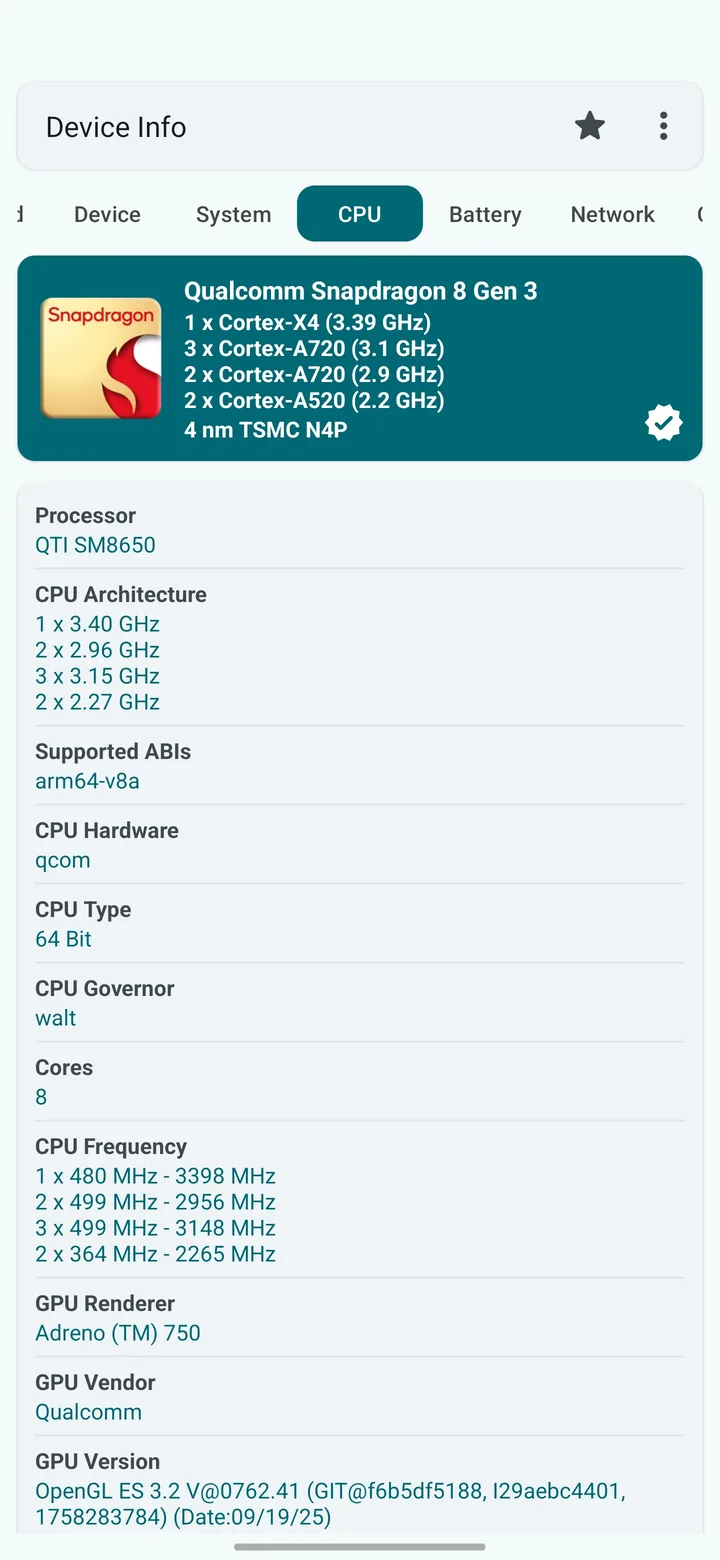
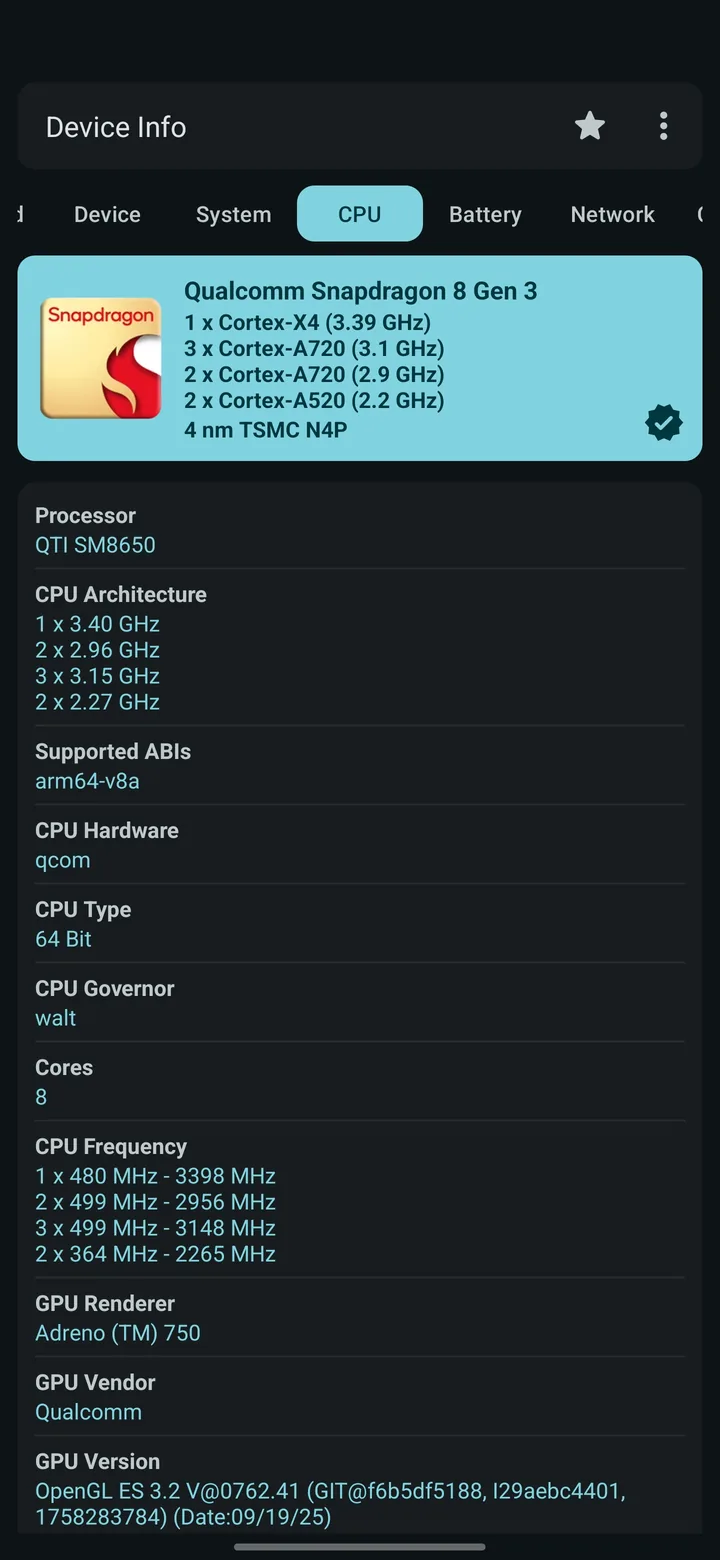
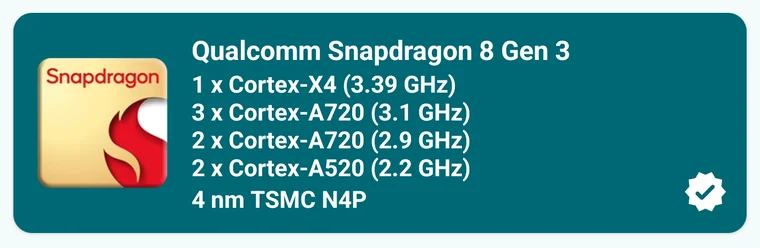
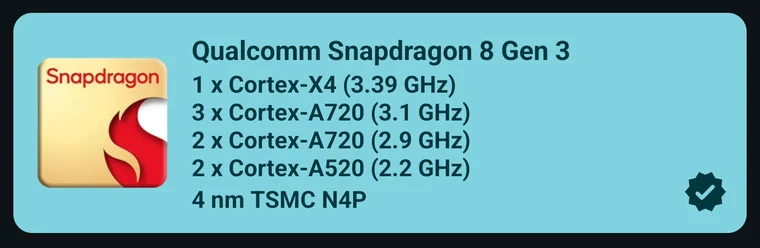
Install Device Info and open the CPU tab. It shows your chipset's name, model code, process node, CPU cores and live clock speeds. You can also search your phone on the supported devices page.
Why does my phone show a model code like MT6789 or SM8650?
Android reports the chip's internal model code. Device Info translates thousands of these codes into marketing names such as Helio G99 or Snapdragon 8 Gen 3. You can search either one here.
My chip isn't listed. Will Device Info still work?
Yes. Device Info works on any Android phone; chips not in this list show their raw model code instead of a marketing name. Tell us the chip on Telegram and we'll add it.
See your own chip, live.
Device Info reads your phone's chipset directly and shows every core's clock speed, load and temperature in real time.

 Scan to installUse your phone camera